


Manual time tracking can cost your business more than you realise. Employees logging hours on paper or in spreadsheets often make errors, resulting in payroll delays and inaccuracies.
Modern time tracking software removes these headaches. Automated systems capture hours accurately, integrate with payroll, and provide real-time visibility into who’s working when. Say goodbye to spreadsheets and manual data entry.
In this blog, you'll discover the best time tracking tools, key features to consider, and how to choose the right solution for your startup or SME.
The best time tracking software in India helps businesses accurately capture work hours, automate timesheets, and reduce payroll discrepancies through real-time tracking.
Leading tools such as Craze, DeskTime, and Clockify offer reliable time capture, detailed reporting, and seamless integration with payroll and HR systems.
Using time-tracking software minimises manual errors, improves visibility into productivity, and supports compliance across growing teams.
A quick comparison of the top three platforms enables startups and SMEs to assess features, ease of use, and pricing before making a decision.
The top time tracking software solutions cater to diverse business needs through automated tracking, employee self-service, and scalable workforce management tools.
In 2026, Indian businesses are adopting time tracking tools that offer accuracy, ease of use, and strong integrations. Here are the leading options and what they’re best for:
Craze – Best for all-in-one HR + time tracking for startups and SMEs
DeskTime – Best for automatic productivity tracking
Clockify – Best for free, unlimited time tracking
TMetric – Best for detailed reporting and timesheet automation
Hubstaff – Best for remote/field teams with GPS tracking
Harvest – Best for time tracking with invoicing
RescueTime – Best for productivity insights and focus improvement
Toggl Track – Best for simple, intuitive tracking with integrations
ClickTime – Best for time tracking + budgeting, and scheduling
Replicon – Best for enterprise-grade compliance and project time management
To make the right choice, it’s important to understand which features matter most for your business needs before you decide.
Time-tracking software helps businesses prevent time loss and improve productivity, as losing just 15 minutes a day can cost over 60 hours a year. Choosing the right tool is essential, so HR professionals and employees should look for features that ensure accurate tracking, efficiency, and ease of use.
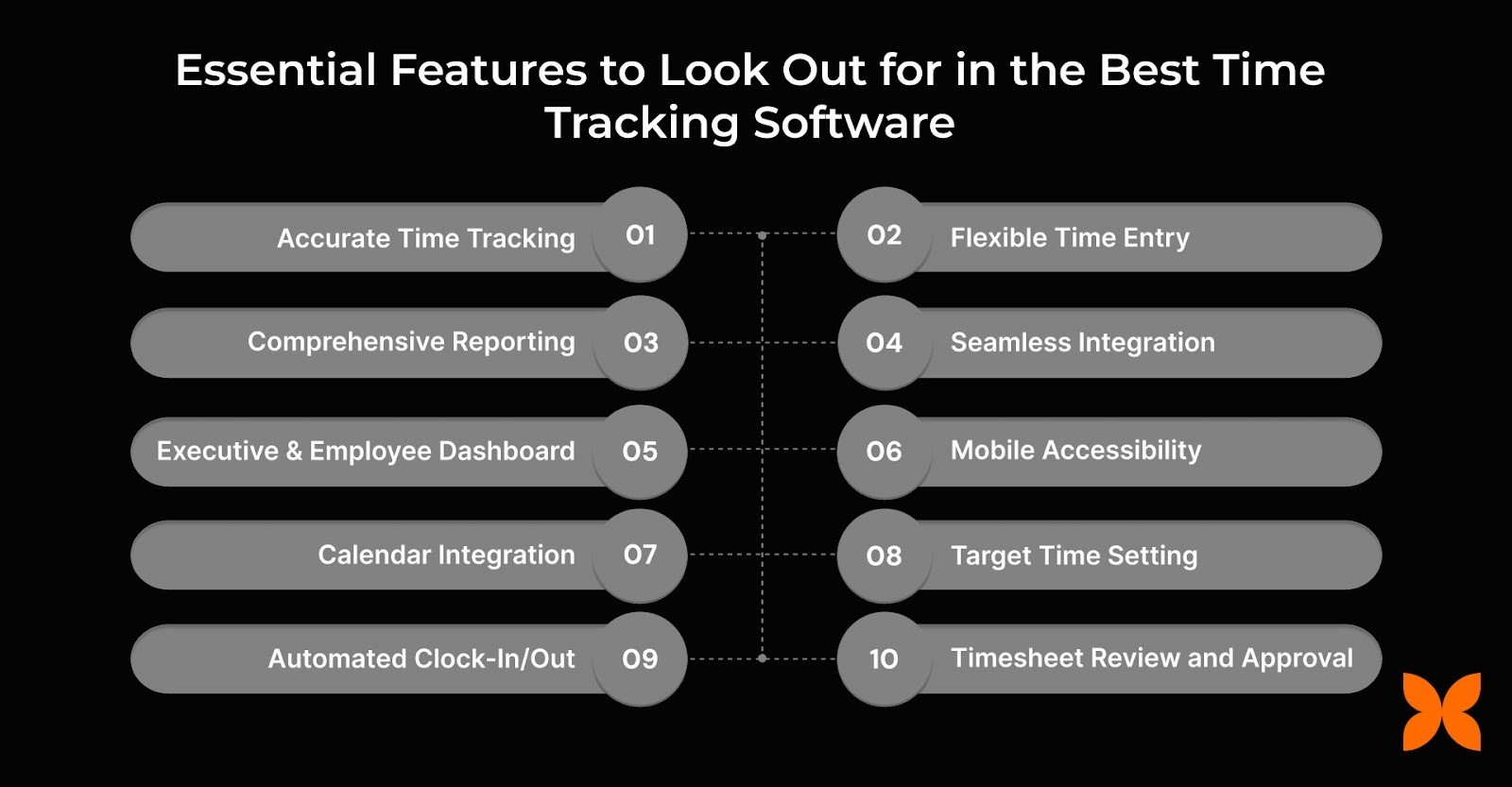
Here are the key features to look for:
Automated and Accurate Time Tracking: Tracks work hours, including multiple clock-ins and clock-outs, reducing manual errors.
Flexible Time Entry and Regularisation: Supports both automatic and manual entries to correct discrepancies and ensure accurate records.
Comprehensive Reporting: Provides detailed reports on time spent, productivity, and timesheet summaries for informed decision-making.
Seamless Integration: Connects with payroll, HR, accounting, project management, and communication systems for smooth workflows.
Executive and Employee Dashboards: Displays key metrics like hours worked, overtime, client billing, and attendance for easy monitoring.
Mobile Accessibility: Offers mobile apps or responsive web access for tracking time on the go.
Calendar Integration: Syncs with personal or work calendars to simplify scheduling and time entry.
Target Time Setting: Allows users to set goals for tasks or projects to improve focus and productivity.
Automated Clock-In/Out: Reduces manual errors while maintaining accurate records of work hours.
Timesheet Review and Approval: Enables employees to review logged hours before submission, ensuring accuracy and transparency.
By focusing on these essential features, businesses can select the right time-tracking software to enhance productivity, streamline workflows, and ensure accurate reporting.
Manual tracking of work hours can lead to errors, missed deadlines, and inefficiencies. Time-tracking software addresses these challenges while providing actionable insights for better workforce management.
Here are a few key benefits:
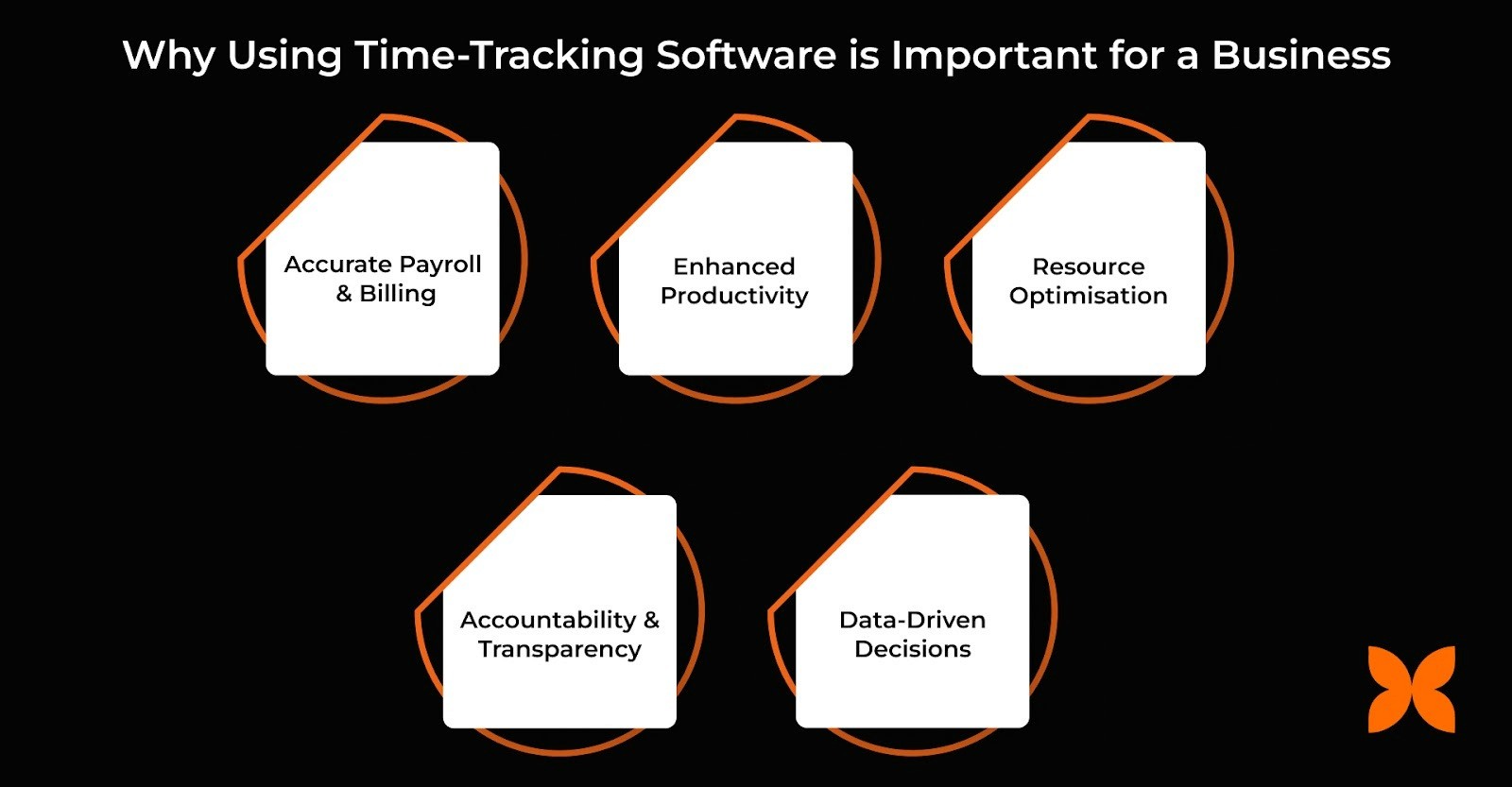
Accurate Payroll & Billing: Automates time calculations, reducing human errors and ensuring employees and clients are billed correctly every time.
Enhanced Productivity: Provides insights into how time is spent, helping managers identify unproductive patterns and optimise workflows.
Resource Optimisation: Tracks project-level hours, allowing managers to assign tasks efficiently and balance workloads across teams.
Accountability & Transparency: Maintains a clear record of hours worked and task progress, making it easier to monitor remote, hybrid, and on-site teams.
Data-Driven Decisions: Generates detailed reports and analytics that guide strategic planning, resource allocation, and cost management.
We have explored why time-tracking software is essential for your business. Now, let’s have a quick comparison of the top three time-tracking software solutions for startups and scaleups.
To help you choose the best time tracking software for your business, here is a quick comparison of leading platforms based on pricing, core features, and ideal use cases.
Platform | Pricing Starts At | Core Features | Best For |
Craze | ₹60/employee/month | Automated Time Tracking, Attendance Management, Payroll Integration, Leave Management, Employee Self-Service Dashboard | Startups and SMEs with 20-500 employees seeking an all-in-one HR and time tracking solution |
DeskTime | ₹400/user/month | Automatic Time Tracking, Productivity Analysis, App & Website Usage Reports, Work Schedules | Teams focused on productivity monitoring and performance insights |
Clockify | Free plan available | Unlimited Time Tracking, Manual & Timer-Based Entries, Timesheets, Basic Reporting | Small businesses and startups needing free, scalable time tracking |
With this comparison of the top time tracking software options, let’s now explore the 10 best time tracking tools in India in detail to help you select the right solution for your business.
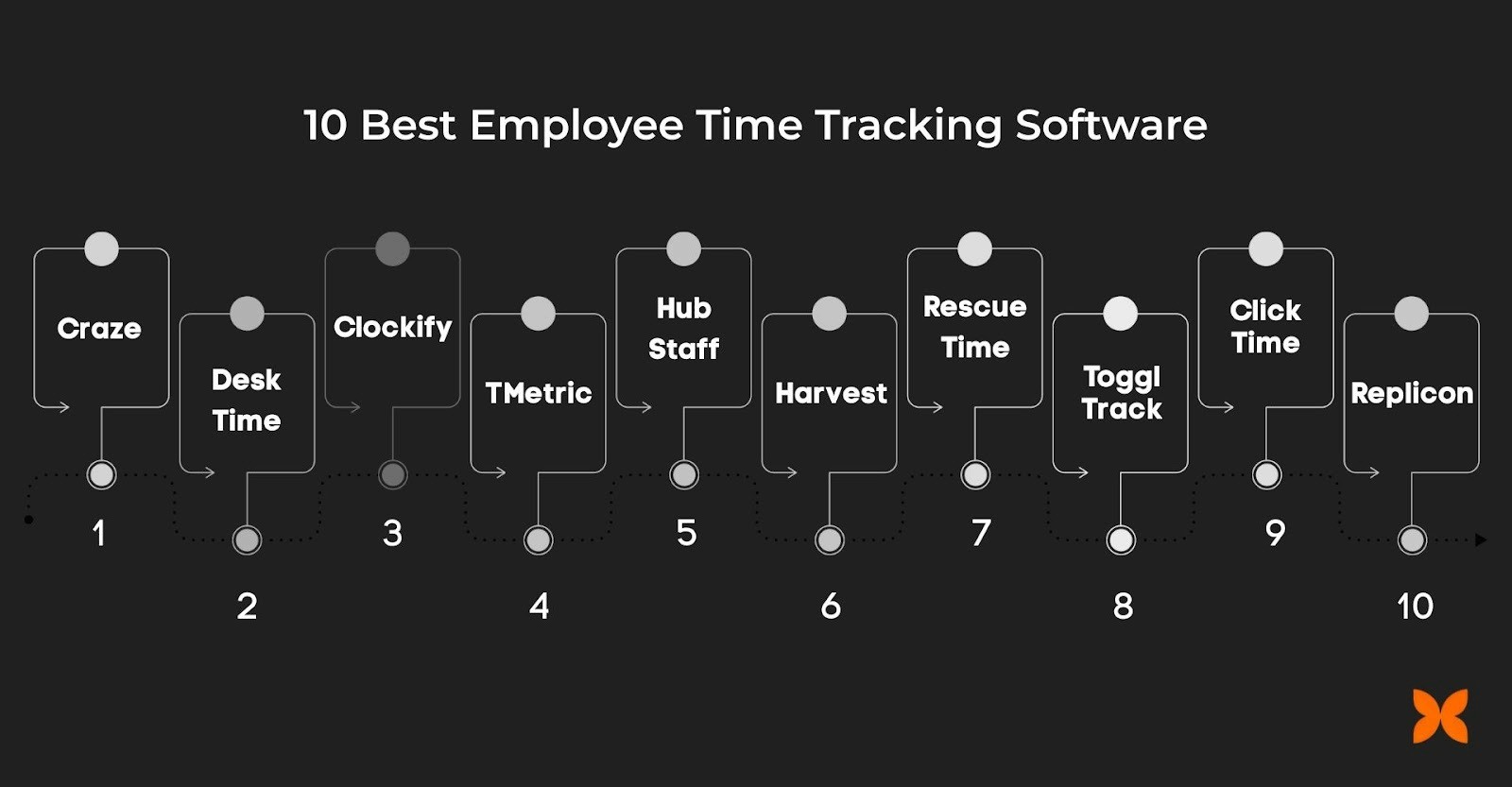
Here, we have shortlisted the best time-tracking software for small businesses. Before selecting anyone, look closely at their features, use cases, and pricing plans.
1. Craze
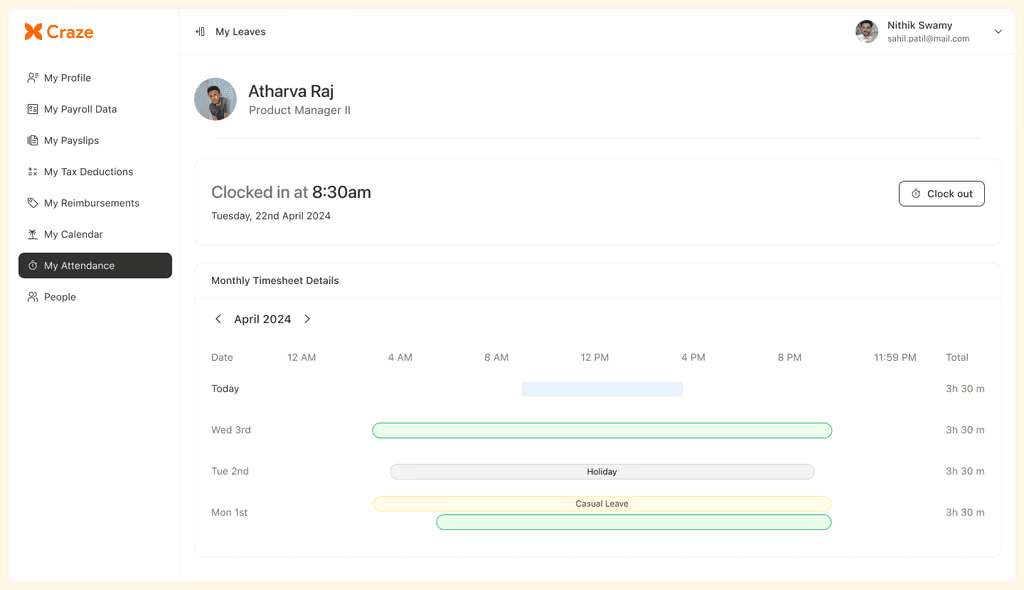
Craze is a comprehensive HRMS platform that integrates time tracking with payroll, leave, and attendance management, making it an ideal solution for startups and SMEs in India. Its cost-effective pricing and user-friendly features enable growing businesses to manage their HR functions efficiently while remaining compliant with Indian labour laws.
Key Features
One-click clock-in and clock-out with accurate time capture
Payroll auto-calculated from tracked work hours
Unified leave and attendance workflows
Built-in TDS, PF, PT, and ESIC compliance
Real-time visibility into hours, attendance, and payroll costs
Best For: Startups and SMEs with 20-500 employees that need an affordable, no-frills leave management solution without complex lock-ins or over-complicated features.
2. DeskTime
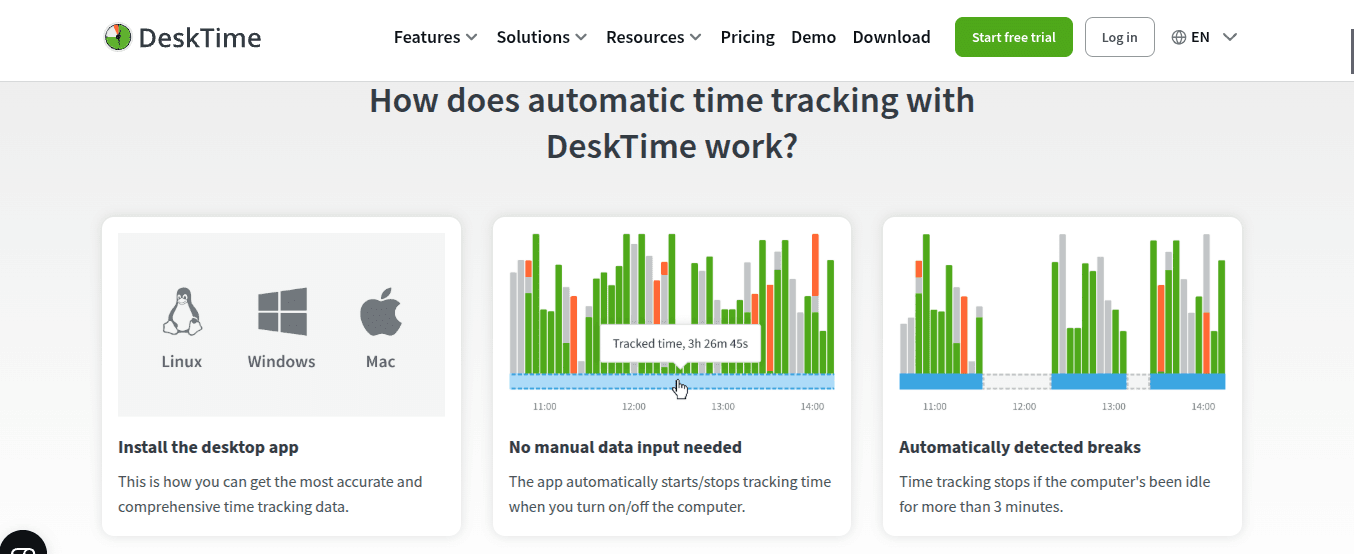
DeskTime is an automatic time tracking tool that helps teams work more effectively by providing insights into productivity and work processes.
Key Features
Automatic tracking of time spent on applications and websites
Productivity analysis based on work-related and non-work-related activity
Detailed performance and time usage reports
Work scheduling and employee availability tracking
Best For: Teams looking for transparency and productivity tracking, especially in hybrid work environments.
3. Clockify
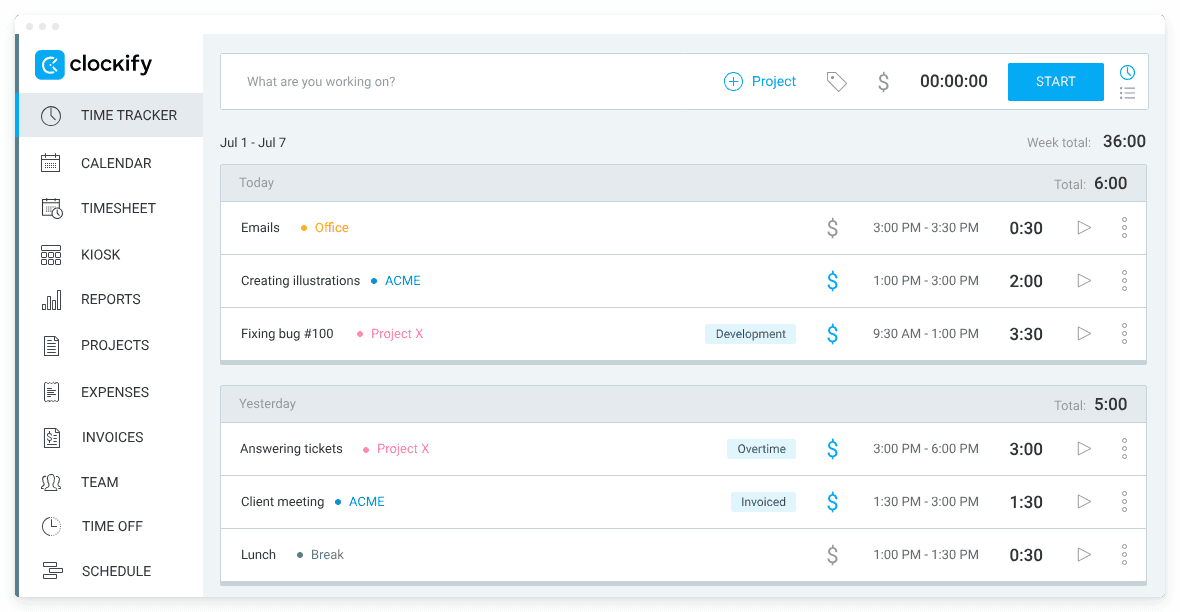
Clockify is a free, easy-to-use time tracking tool designed to help teams and businesses track time spent on various tasks and projects without any cost.
Key Features
Unlimited time tracking across projects and tasks
Manual and timer-based time entries
Simple, structured timesheet management
Basic expense tracking and invoicing for billable work
Best For: Small to medium-sized businesses that seek an affordable and straightforward time tracking tool.
4. TMetric
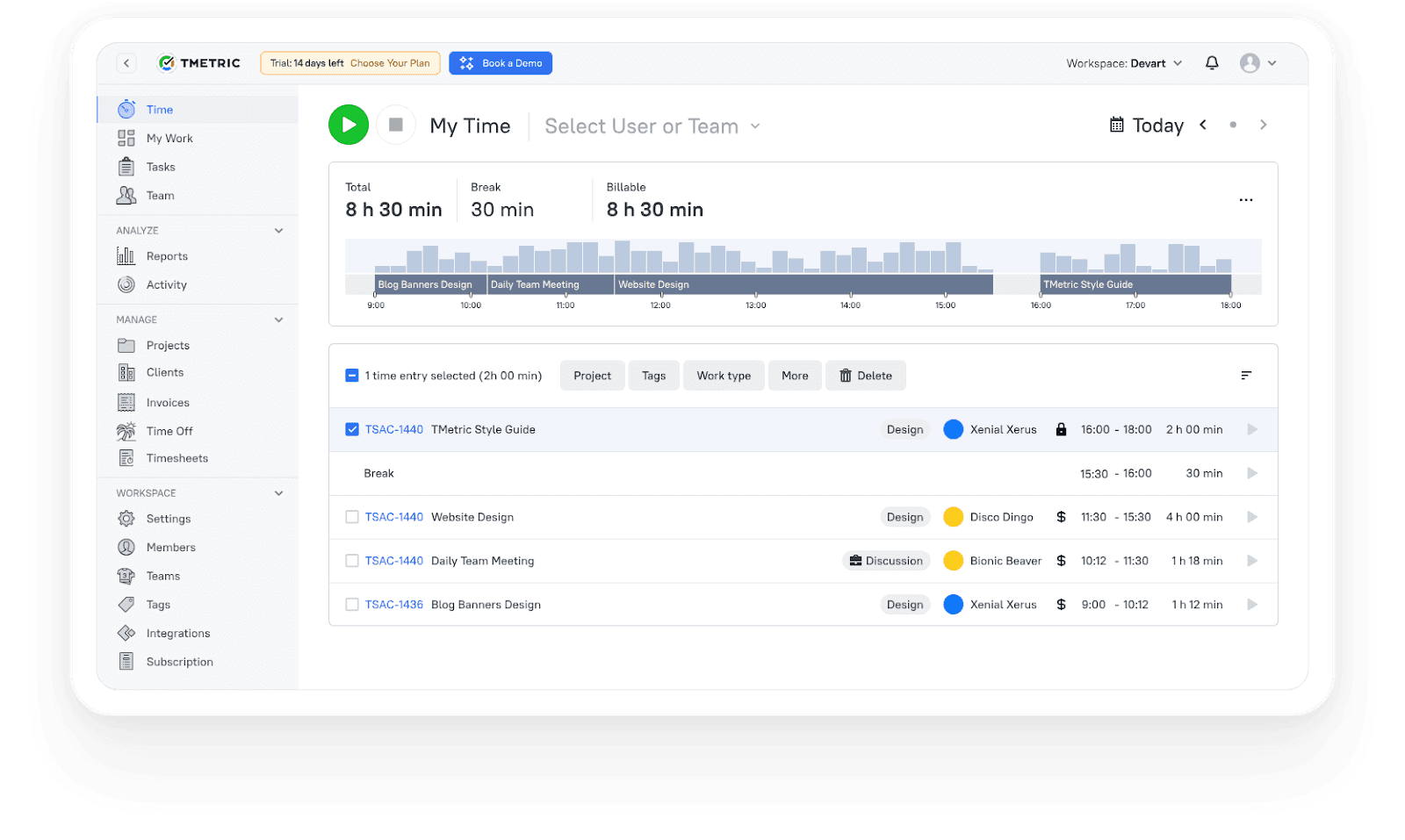
TMetric provides detailed time reporting, automatic time tracking, and teamwork monitoring to boost productivity.
Key Features
Automatic time tracking with detailed project reports
Automated team timesheets with minimal manual input
Attendance and working hours tracking
Built-in PTO and leave management
Best For: Businesses requiring detailed insights into employee work hours and efficient payroll management.
5. Hubstaff
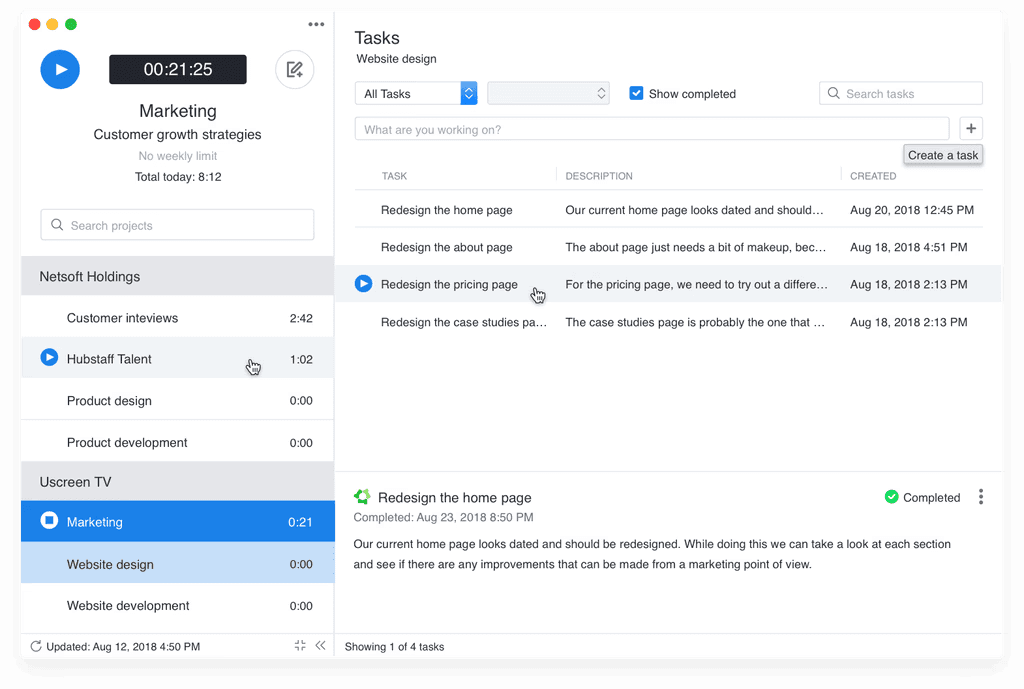
Hubstaff is an all-in-one time tracking and productivity monitoring tool that provides detailed insights into team activities, work hours, and performance.
Key Features
Time tracking across desktop, mobile, and web platforms
GPS tracking and geofencing for field employees
Activity monitoring with screenshots and usage levels
Payroll and invoicing are generated from tracked hours
Best For: Remote teams and businesses with field employees needing comprehensive tracking and project cost management.
6. Harvest
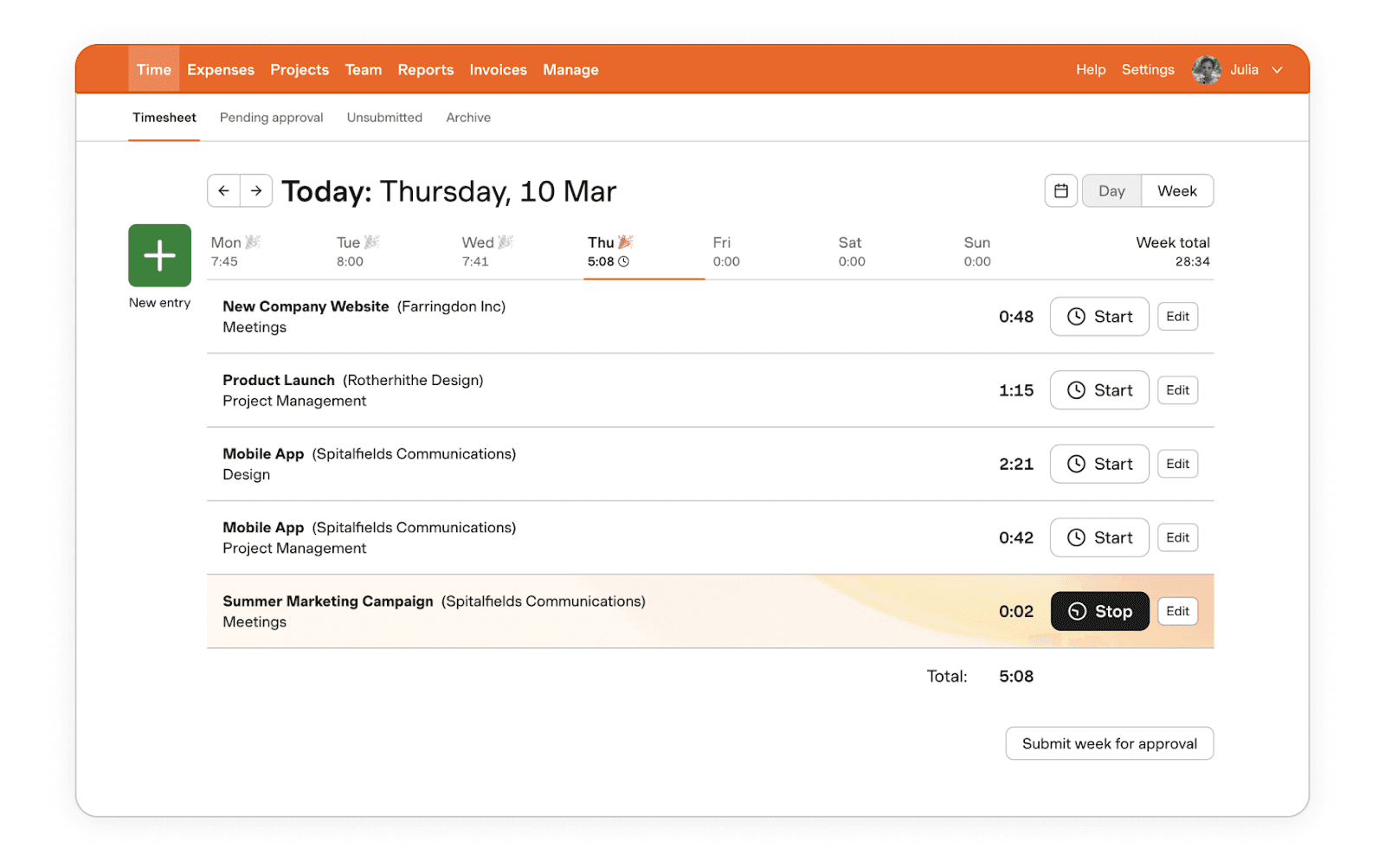
Harvest simplifies time tracking and invoicing with intuitive timesheets and robust reporting features.
Key Features
Manual and timer-based time tracking
Automated reminders for time entry and invoicing
Invoice generation from tracked hours and expenses
Detailed reporting on time usage and project costs
Built-in timesheet approval workflows
Best For: Businesses needing seamless integration between time tracking, billing, and project management.
7. RescueTime
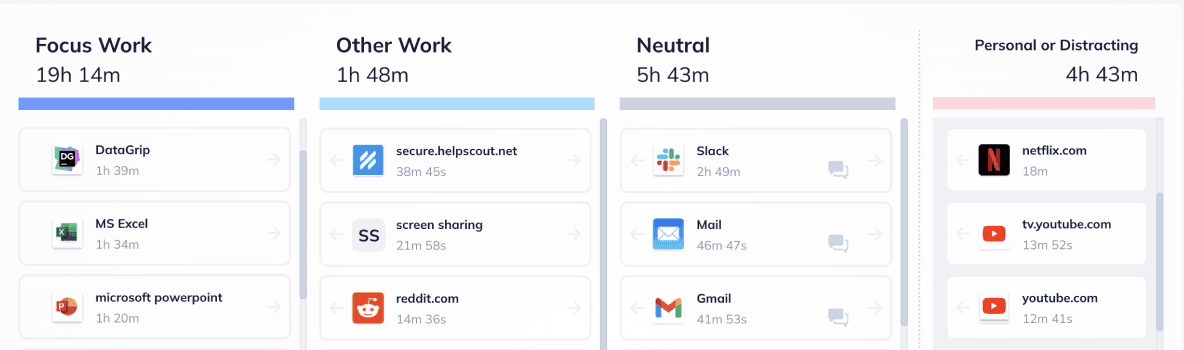
RescueTime helps individuals and teams manage time and stay productive by tracking activities and offering insights into work habits.
Key Features
Automatic tracking of time spent on tasks and websites
In-depth reports on productivity and work patterns
Website and app blocking to minimise distractions
Goal setting with alerts for time deviations
Cross-device tracking on desktop and mobile
Best For: Individuals and teams seeking to improve focus and productivity by tracking time spent on tasks, websites, and apps.
8. Toggl Track
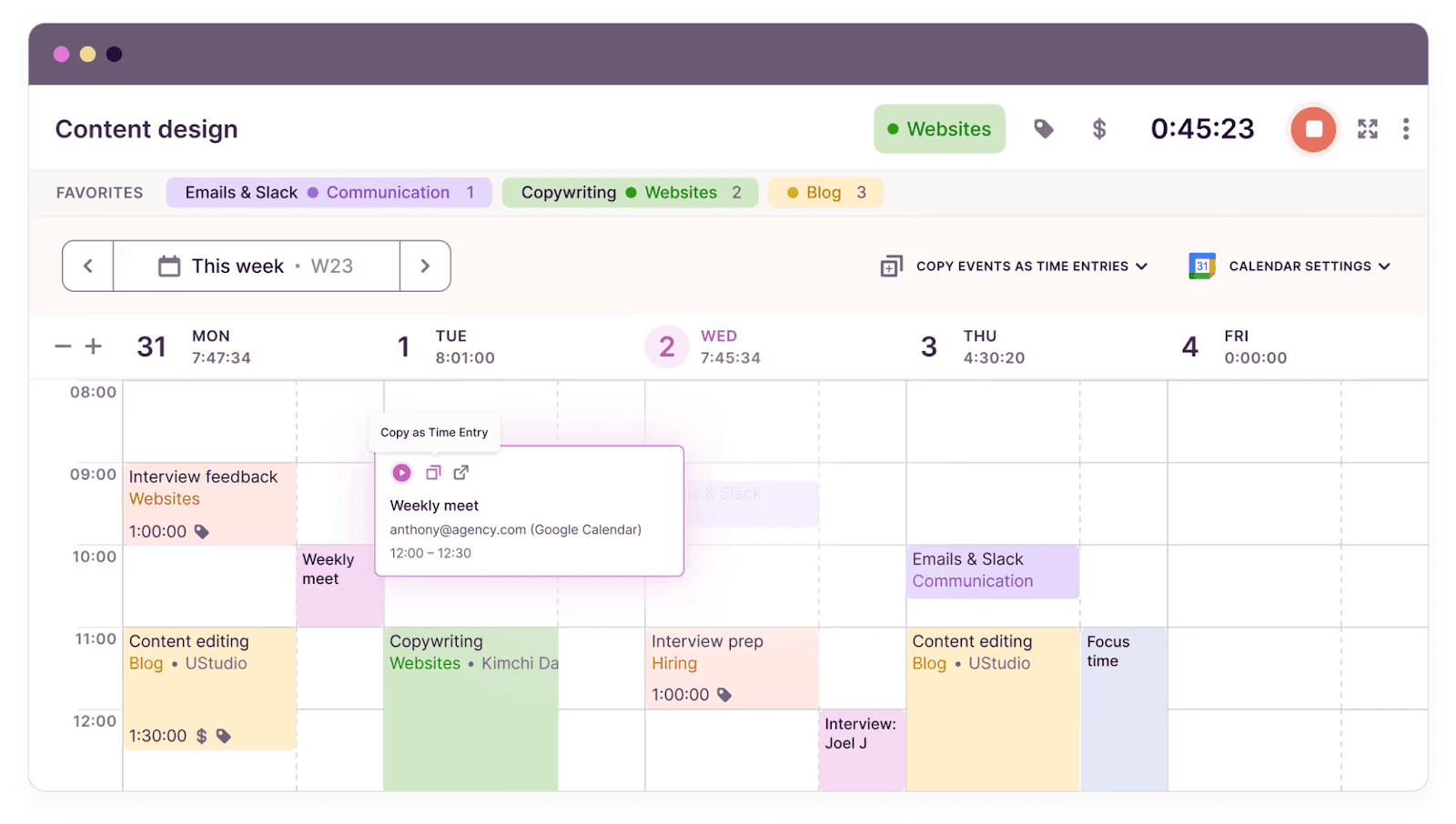
Toggl Track is a simple yet powerful time-tracking tool that integrates with multiple apps and makes it easy to manage work hours.
Key Features
One-click time tracking for simplicity and speed
Calendar and timeline views to monitor work trends
Automatic tracking of tasks and projects
Detailed reporting and productivity insights
Integrates with 100+ apps for smooth data flow
Best For: Freelancers and small teams that need an easy-to-use, flexible time tracking tool with app integrations.
9. ClickTime
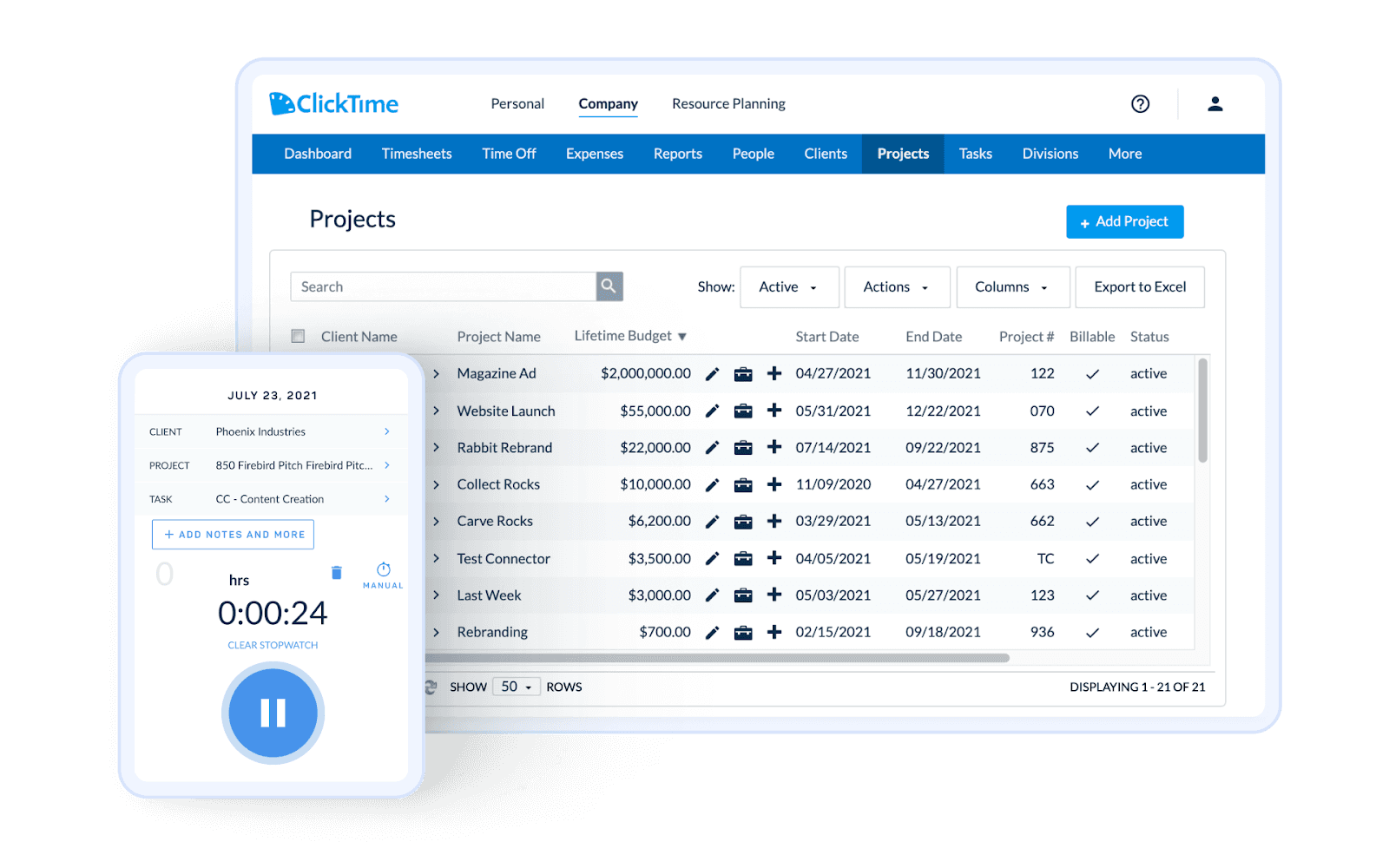
ClickTime offers time tracking, budgeting, and reporting features to help businesses manage their workforce effectively.
Key Features
Manual or timer-based time tracking
Employee scheduling and availability management
Project and task assignment across teams
Expense tracking and invoice generation
Detailed reporting on performance and project costs
Best For: Organisations needing time-tracking, scheduling, and budgeting tools for effective workforce management.
10. Replicon
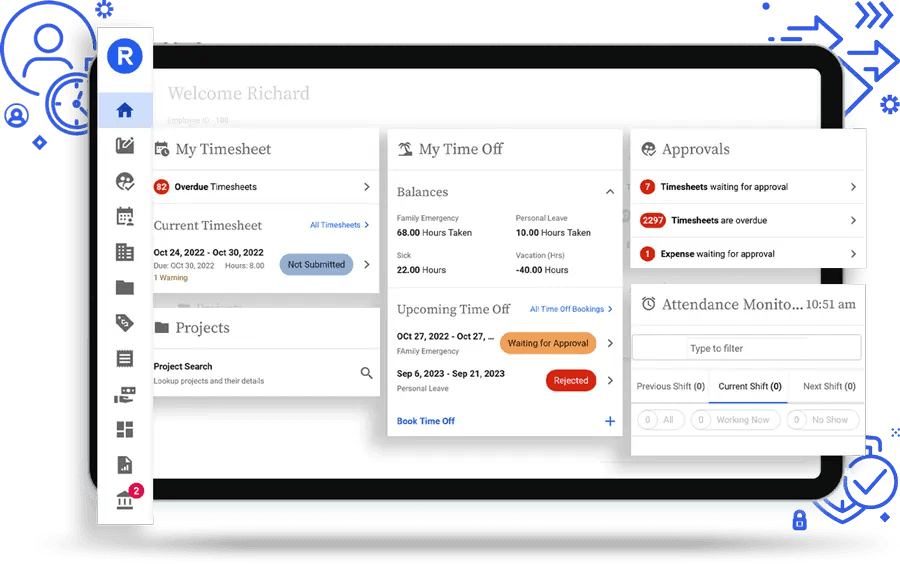
Replicon provides cloud-based time tracking solutions that help businesses manage time, projects, and compliance efficiently.
Key Features
Time tracking and attendance management for accurate payroll
Project and task tracking with time allocation
Compliance management to meet regulatory requirements
Detailed reports on hours, projects, and payroll
Mobile and desktop access for flexible tracking
Best For: Enterprises needing a robust solution for time tracking, project management, and compliance.
Once you have reviewed the software options, it is essential to understand how to select the right software for your business. Here are key considerations to guide your decision-making process.
When selecting a time tracking tool for your business, it’s essential to consider more than just features. Here are the key aspects to evaluate before making a choice:
User-Friendliness: Choose a time tracking tool with a clean, intuitive interface that is easy for both HR teams and employees to use. A simple UI reduces training time and helps employees adopt the tool quickly.
Accuracy of Time Tracking: Ensure the software provides precise time measurements. Accurate tracking is essential for client billings, payroll processing, and project management.
Value for Money: Look for tools that offer a balance of advanced features and affordability. Be mindful of hidden charges, feature lock-ins, and minimum user commitments that may affect the overall cost.
Integrations with Other Tools: Check whether the time-tracking software integrates with your existing payroll, accounting, or project management tools. Custom integrations can streamline workflows and reduce manual data entry.
Scalability: Ensure the software can scale as your business grows. It should be capable of handling a larger workforce and increased data volumes, adapting to your changing needs.
Support and Customer Service: Evaluate the level of customer support provided. Opt for a tool that offers 24/7 support, regardless of the pricing plan, to ensure assistance is available whenever needed.
By considering these factors, you can select a time-tracking tool that not only meets your business needs but also delivers long-term value and efficiency.
Time tracking software is essential for HR teams, particularly in organisations with diverse teams across multiple locations. It ensures precise monitoring of work hours, streamlines payroll, and enhances overall productivity. With numerous options available, selecting a solution that aligns with your operational needs is critical.
If you are looking for an all-in-one solution that combines time tracking, payroll, and HR management, Craze is an ideal choice. Its intuitive dashboard offers accurate time logs, automated payroll calculations, and actionable insights to optimise workforce performance.
Looking to simplify your team’s time tracking and HR processes? Get started with Craze today and manage your workforce effortlessly. Book a Demo today.
Looking to optimise other aspects of your HR operations? Check out these top HRMS tools and software for your use case:
