
HR Document Automation: How to Streamline Document Workflows and Reduce Manual Work
Learn how to automate HR document workflows to reduce errors, improve compliance, and free your team from repetitive paperwork. A practical guide to implementation, best practices, and common challenges.

By: Deepit Patil
Co-Founder and CTO
Published
Updated
Edited by Craze Editorial Team · See our Editorial Process
Every HR team manages the same kinds of documents: offer letters, contracts, policy acknowledgments, compliance forms, and approval chains. When these run on email threads, shared drives, and manual checklists, the pattern is familiar: missed deadlines, version conflicts, compliance gaps, and hours lost to work that adds no strategic value.
Document automation replaces this with structured, rule-based workflows. Instead of creating each contract from scratch or chasing approvals through email, the right tools handle document generation, routing, storage, and retrieval through predefined templates and rules.
This guide covers what HR document automation involves, how to implement it step by step, the practices that make it stick, and the challenges worth planning for.
Key Takeaways
-
Document automation for HR simplifies document creation, storage, and approval workflows, saving significant time and reducing errors.
-
Automating HR documents helps maintain compliance with labor laws, data protection regulations, and organizational policies.
-
Challenges like resistance to change, data security concerns, and integration with existing systems can slow adoption but are manageable with the right approach.
-
AI-powered workflow tools can help teams design, run, and refine document automation workflows faster and with fewer errors.
What Is Document Automation for HR?
Document automation for HR uses software to manage documents from creation through storage and approval without manual handling at every step. Instead of filling out forms by hand, tracking versions in email, or managing approvals through ad hoc messages, automation tools handle these steps through templates, rules, and defined workflows.
In practice, this means HR teams can:
-
Generate documents from templates. Offer letters, contracts, and policy documents are created automatically using predefined templates populated with employee data.
-
Route approvals automatically. Documents move through the right approval chain without manual forwarding or follow-up.
-
Store and organize centrally. All HR documents live in a searchable, structured system with proper access controls.
-
Track document status. Teams can see exactly where a document is in its lifecycle: drafted, pending approval, signed, or archived.
Key Benefits of Document Automation for HR Teams
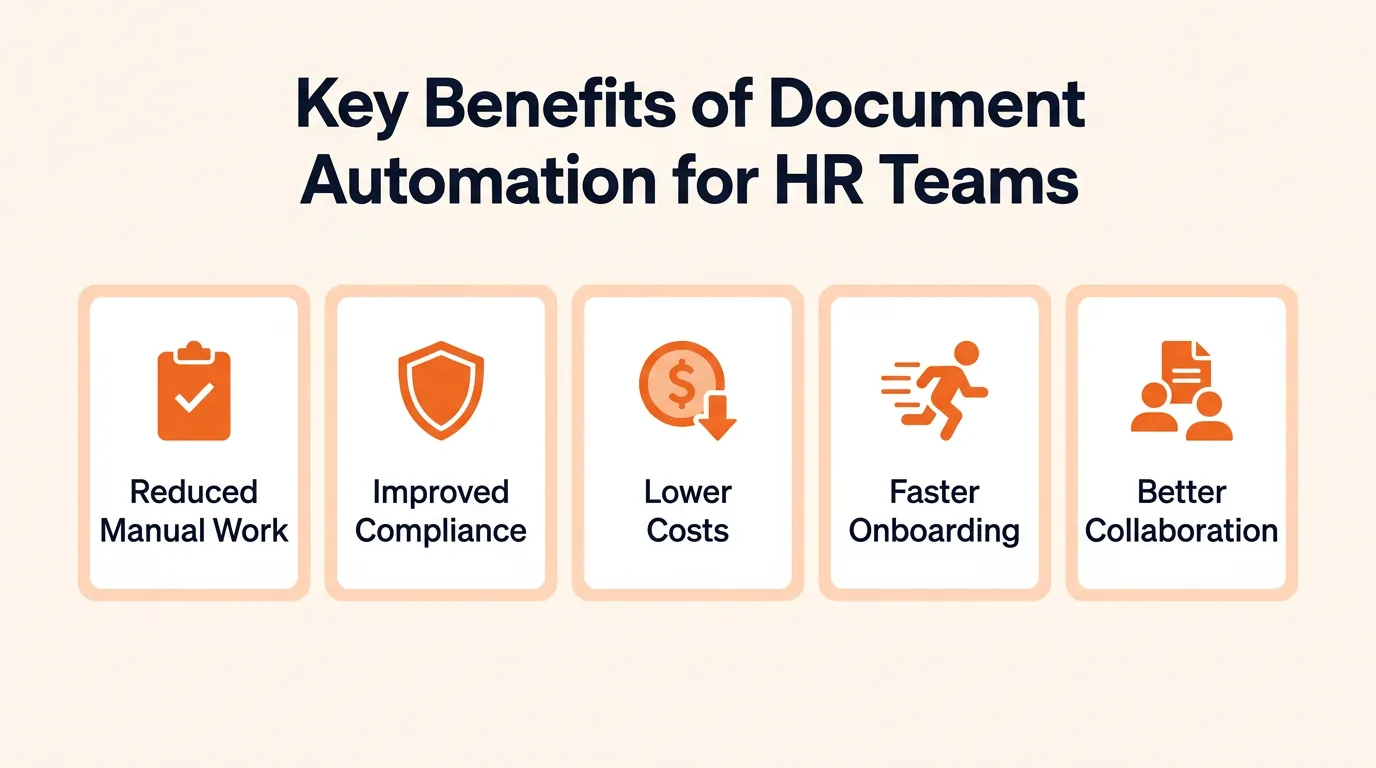
The practical benefits show up quickly:
-
Reduced Manual Work: Automating document creation and approval frees HR teams to focus on higher-value work instead of repetitive administrative tasks.
-
Improved Compliance: Automated records are securely stored and consistently meet regulatory requirements, supporting compliance with labor laws and data protection standards.
-
Lower Costs: Moving away from paper-based workflows cuts costs associated with physical storage, printing, and manual document handling.
-
Faster Onboarding and Offboarding: Automating the creation of joining letters, tax forms, and exit paperwork speeds up both processes and reduces the chance of missed steps.
-
Better Collaboration: Teams can collaborate more effectively on document approval and updates, with clear visibility into who needs to act next.
How to Implement Document Automation for HR
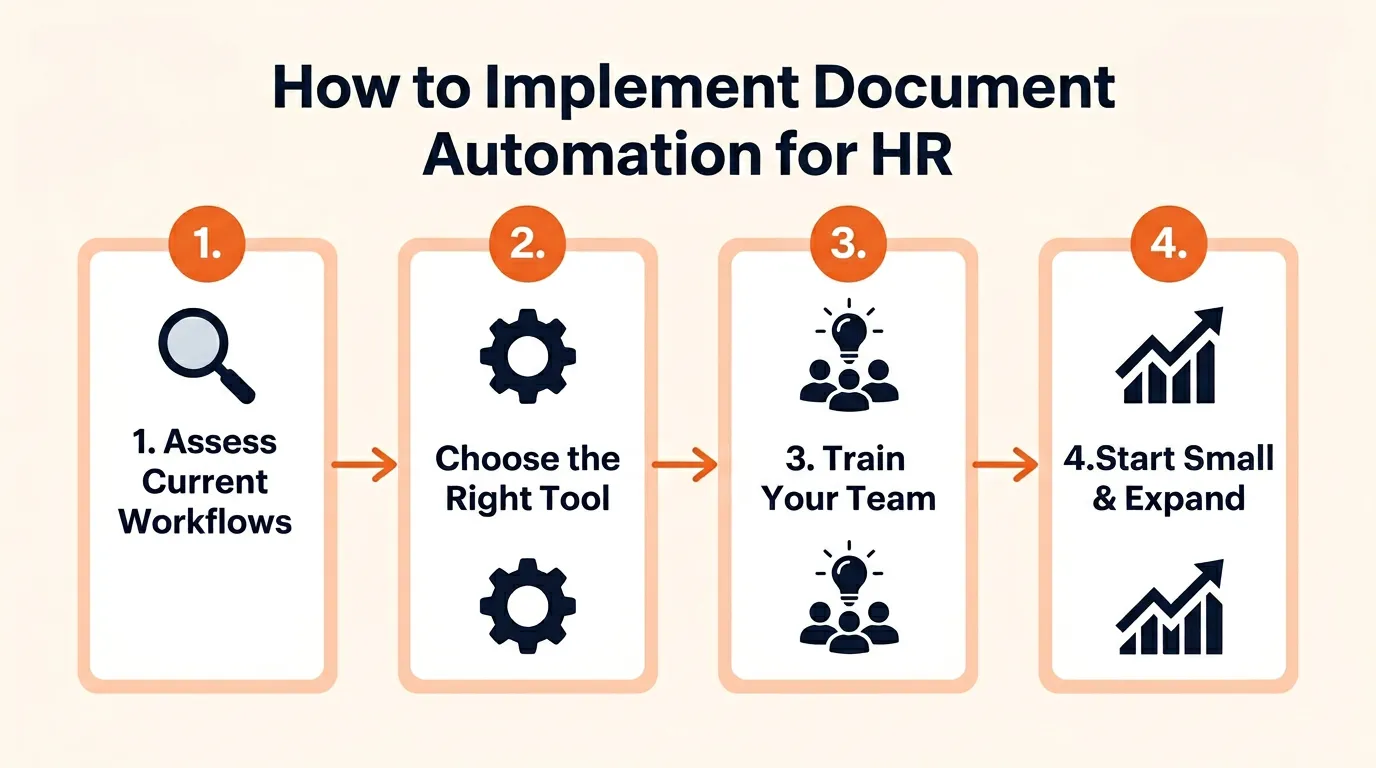
Getting started does not require a massive overhaul. A phased approach works best:
Step 1: Assess Your Current Document Workflows
Start by mapping your existing HR document processes. Identify which workflows consume the most time, where errors happen most often, and which processes have the highest compliance risk. This is part of a broader HR automation assessment. Common starting points include onboarding document packs, leave management forms, and recurring compliance filings.
Step 2: Choose the Right Automation Tool
Select a tool that fits your specific document automation needs. Look for features such as template-based document generation, automated approval routing, version control, secure storage, and audit trails. Ensure the tool integrates with your existing systems to avoid creating another disconnected silo.
Step 3: Train Your Team
Make sure your HR team understands how to use the new system. Provide hands-on training covering document creation, approval workflows, and compliance tracking. Proper training reduces adoption friction and ensures the team can work efficiently with the new tools from day one.
Step 4: Start Small and Expand
Begin with the highest-impact, lowest-risk workflows. Automate one document type (like offer letters or policy acknowledgments) end-to-end before expanding to more complex workflows. This builds confidence and surfaces integration issues early.
Best Practices for Automating HR Document Management
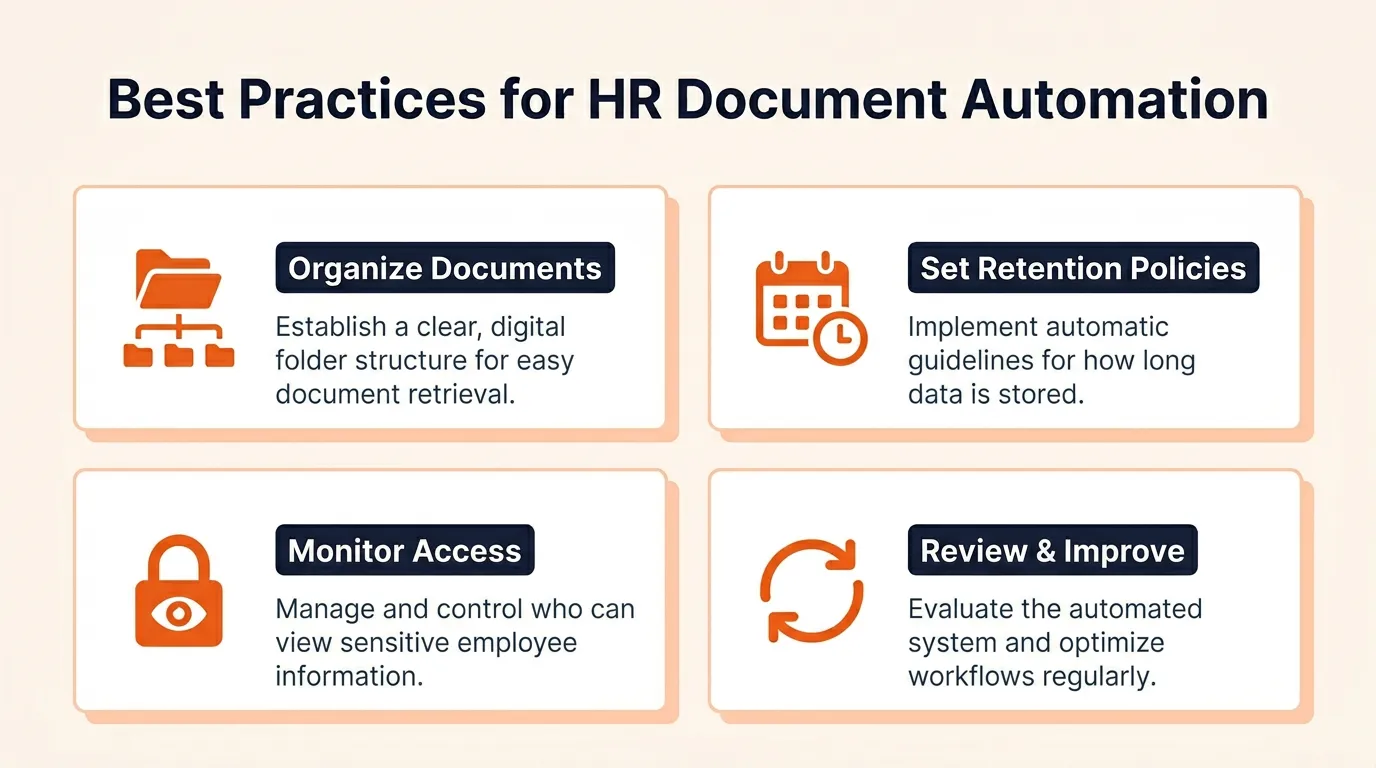
Implementation is only the first step. These practices help document automation deliver consistent results over time.
1. Organize Documents Effectively
Proper organization is the foundation of any automated document system.
-
Categorize documents by employee, department, or document type for quick retrieval.
-
Use consistent naming conventions and metadata tags (document type, date, employee name) to ensure searchability.
-
Store documents in a logical folder structure organized by department or process stage ( onboarding , performance reviews, compliance) so files are systematically arranged.
2. Set Up Retention Policies
Automating retention policies helps manage the lifecycle of documents in a compliant way.
-
Create rules for document storage, retention, and deletion based on industry regulations and legal requirements.
-
Set up automatic alerts to notify teams when documents need to be reviewed, renewed, or deleted according to the retention schedule.
-
Enforce policies that automatically archive older documents, reducing clutter while keeping only current, relevant documents active.
3. Monitor Document Access
Controlling who accesses sensitive documents is critical to maintaining security.
-
Define access rights for different roles within the HR team so only authorized individuals can view, edit, or delete documents.
-
Limit editing and sharing permissions based on job responsibilities to reduce the risk of accidental changes or leaks.
-
Regularly review access logs to track who is viewing or modifying documents, ensuring transparency and security.
4. Review and Improve Regularly
Regularly assessing your document automation system ensures it stays effective.
-
Conduct periodic audits to check whether the system is meeting compliance standards and identify inefficiencies.
-
Collect feedback from HR staff on ease of use and effectiveness. Address issues they encounter in their daily workflows.
-
Update workflows, retention policies, and security settings based on feedback and evolving regulations.
Challenges in HR Document Automation
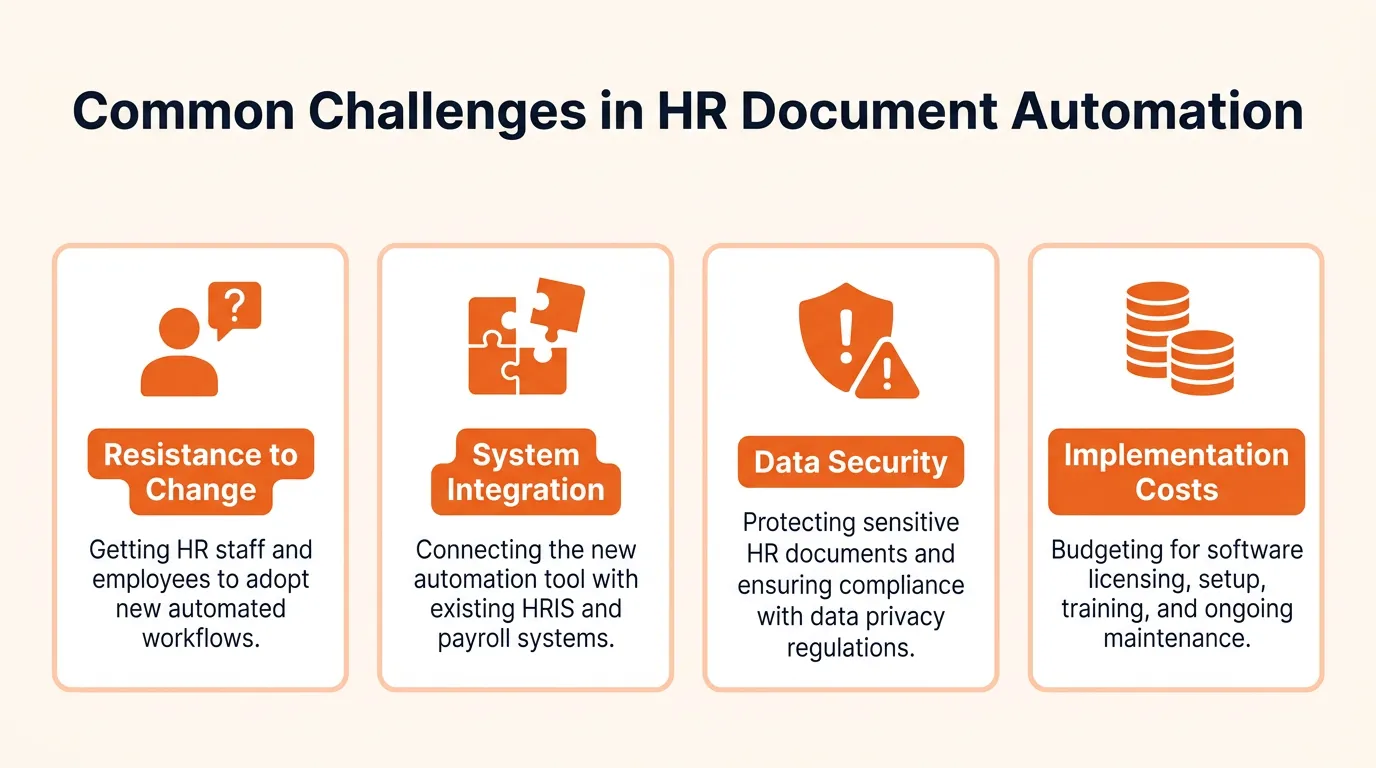
Document automation delivers clear benefits, but these challenges come up consistently. Knowing them ahead of time makes adoption smoother.
Resistance to Change
Employees familiar with manual processes may resist moving to an automated system. This often comes from uncertainty about new tools or concerns about changing established routines. Overcome this by demonstrating the direct time savings, providing hands-on training, and involving key team members in the implementation process early.
Integration with Existing Systems
Connecting document automation with existing HR tools, payroll systems , and attendance tracking can be complex. Many organizations use systems that were not designed to work together. Prioritize tools with open APIs and pre-built integrations to reduce friction.
Data Security Concerns
Moving to digital document management raises valid concerns about sensitive employee data. HR departments need assurance that employee information is protected from unauthorized access. Look for tools with encryption (at rest and in transit), role-based access controls, audit trails, and compliance certifications relevant to your industry.
Implementation Costs
The initial setup costs and integration time can feel like barriers. However, the long-term benefits of reduced manual work, fewer errors, and improved compliance typically deliver a positive return within months. Start with high-impact workflows to demonstrate value early.
How AI Workflow Tools Improve HR Document Automation
Traditional document automation handles individual tasks well: generating a template, routing an approval. But when workflows span multiple systems and teams, the coordination between steps still falls on people.
AI-powered workflow tools close this gap. This is part of a broader shift toward AI-driven automation in HR , where AI agents help map document workflows, identify dependencies, and create trigger-based sequences that run without manual coordination.
Here is what that looks like in practice:
-
Multi-Step Workflow Design: AI agents help you map document workflows across departments, identify bottlenecks, and build trigger-based flows that move documents through creation, review, approval, and storage automatically.
-
Intelligent Routing: Instead of relying on email forwarding between teams, AI workflows route documents to the right reviewer based on document type, department, or approval rules.
-
Faster Iteration: Teams can prototype document workflows, test them with sample documents, and refine them before rolling out to the full organization.
-
Consistent Visibility: A single workspace where HR, legal, finance, and managers can track document status eliminates the overhead of status-check emails and follow-ups.
-
Scalable Without Added Complexity: As document volume grows, AI-driven workflows scale consistently without requiring proportional increases in coordination effort.
With tools like Craze that bring multiple AI models into one workspace, teams can build document workflow agents, automate repetitive coordination tasks, and focus on the work that actually requires human judgment.
Conclusion
Document automation does not replace HR teams. It removes the repetitive manual work that keeps them from focusing on higher-value activities. Automating document creation, approval workflows, storage, and compliance tracking reduces errors, improves speed, and keeps processes consistent as organizations grow.
Start with the workflows that cost the most time, choose tools that integrate with your existing systems, and expand from there. AI workflow tools make this easier by helping teams design and run connected document automations in one workspace instead of stitching together disconnected point solutions.
FAQs
How does document automation reduce human errors in HR?
Document automation minimizes manual data entry, which is the most common source of errors. Automated processes like template-based document creation, approval routing, and data syncing ensure higher accuracy in employee records, contracts, and compliance documentation.
How does document automation improve document accessibility?
Automated document management stores HR documents digitally in a centralized system, making them accessible from anywhere with proper permissions. This enables quick retrieval of employee records, contracts, or reviews without relying on physical storage or email threads.
What types of HR documents can be automated?
Most recurring HR documents can be automated, including onboarding forms, employment contracts, tax forms, performance reviews, leave requests, policy acknowledgments, and exit documents. Automation ensures consistency across these documents and reduces administrative overhead.
Can HR document automation scale as the company grows?
Yes. Document automation scales without proportional increases in manual effort. As headcount and document volume grow, automated workflows handle increased load by running the same rules, templates, and approval paths consistently across the organization.
What security features should I look for in HR document automation?
Prioritize data encryption (at rest and in transit), role-based access controls, detailed audit trails, secure cloud storage with compliance certifications, and automated retention and deletion policies. These features protect sensitive employee data and support regulatory compliance.
More Articles
AI Agent Orchestration: What It Is and Why It Matters

AI agent orchestration coordinates multiple specialized agents to handle complex tasks no single agent can. Learn the patterns, building blocks, failure modes, and how to get started.
AI Agent Use Cases: Where Agents Actually Deliver Results
Explore the highest-impact AI agent use cases across customer support, sales, finance, IT, marketing, and HR, with real workflow patterns and adoption data.
AI Agent vs Chatbot: How They Actually Differ
AI agents and chatbots are not the same thing. Learn the real differences in how they work, what they cost, and which one your team actually needs.


